 |
- Or you could create a photo gallery using the Adobe Bridge "Web Gallery"
- Create a folder in your site called "Gallery"
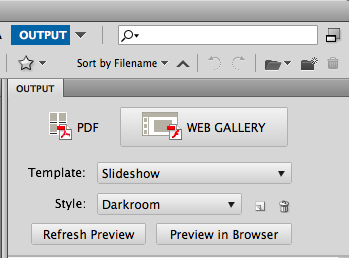 - Open Bridge and choose "Output" menu item on the top right
- Under "Folders" tab on the left side locate the folder with the images that will go in the gallery on the system and select
- Select all image in the lower panel
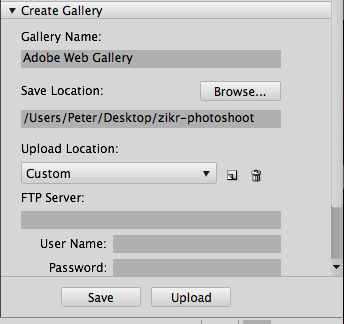 - Scroll to the bottom of the right "output" panel and choose "Create Gallery"
- Browse to the gallery folder in the website and name the gallery
- Make sure you explore all panels and add the necessary information (like - your gallery as opposed to Adobe's gallery) and make sure you customize the colors
- Click Save
- In your gallery folder on the website you will see an index.html...this is where you link to
- Question...how do you integrate this gallery into your web template?
|